Your business email may contain customer conversations, invoices and other important information. Keeping its password secure helps protect your business communications from unauthorised access.
This guide from Vintronix Global Systems Ltd shows you how to change your email password using Webmail.
Step 1: Open Your Webmail Login Page
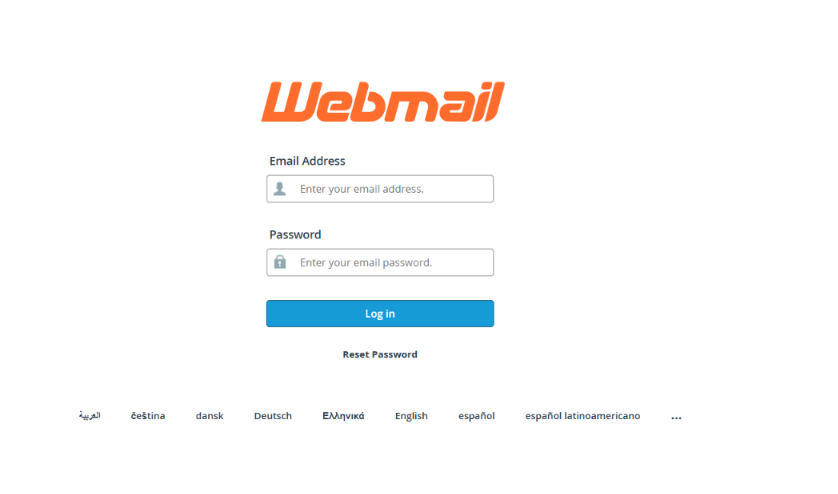 Open your browser and enter: https://domain.com/webmail
Replace domain.com with your actual website domain. For example, if your website is yourbusiness.com, enter https://yourbusiness.com/webmail.
Enter your full Email Address and your current Password, then click Log in.
Step 2: Go to Webmail Home
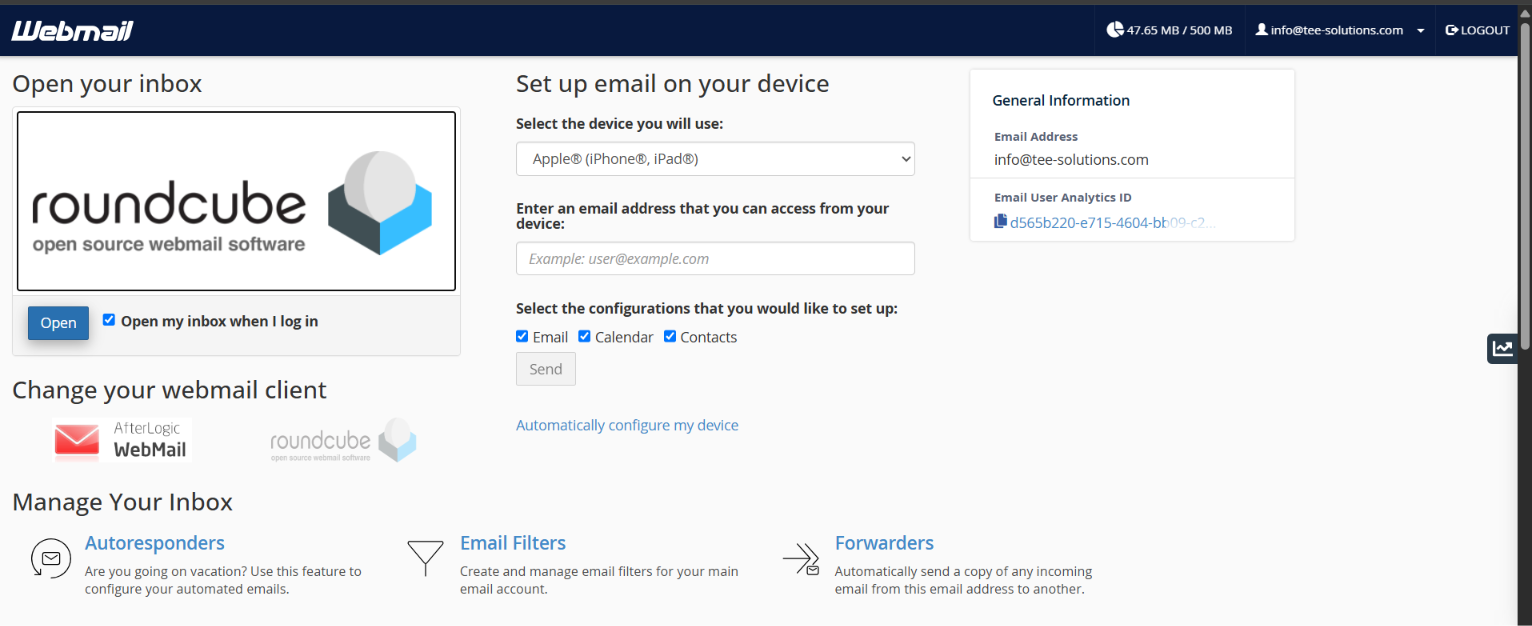 After signing in, you may see the Webmail Home page, which includes options for opening your inbox and managing your email account.
If Your Roundcube Inbox Opens Directly
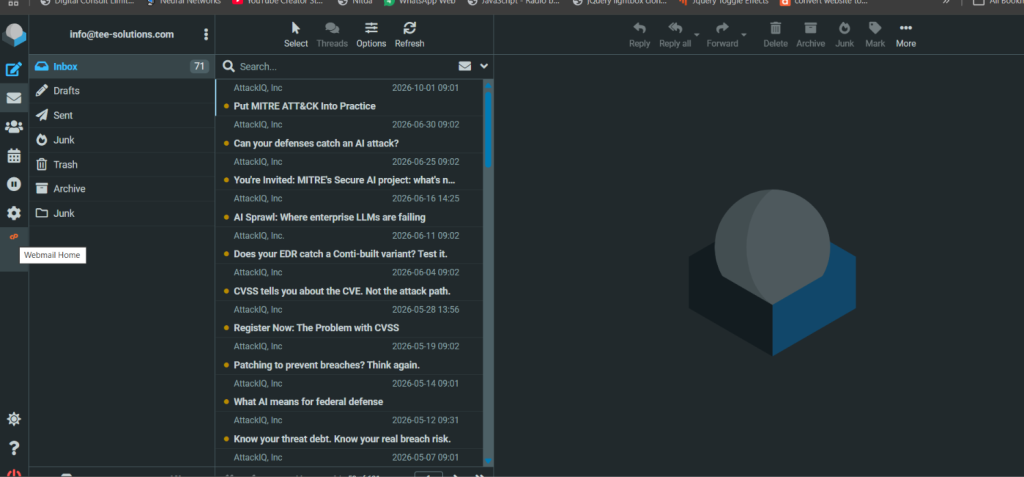 Click the Webmail Home icon on the left sidebar. In the screenshot, this is the orange icon beneath the settings icon.
This takes you back to the page where you can access your account management options.
Step 3: Select Password & Security
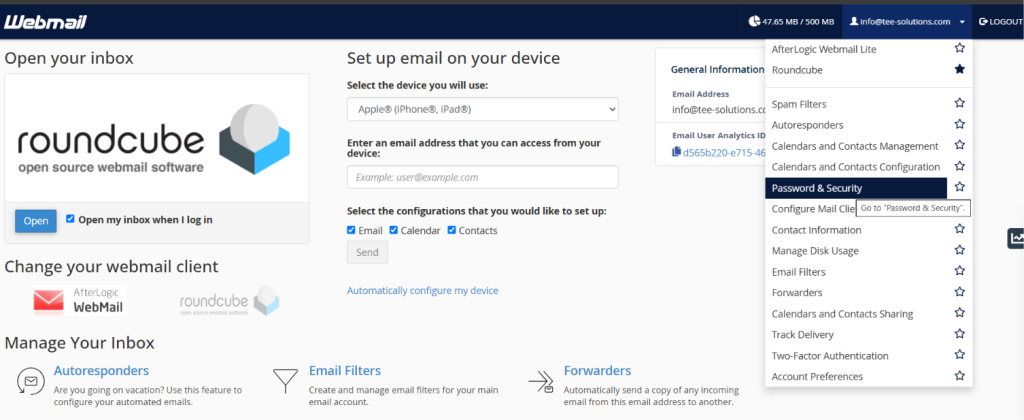 On the Webmail Home page, click your email address at the top-right corner to open the account menu.
Select Password & Security.
Step 4: Enter Your New Password
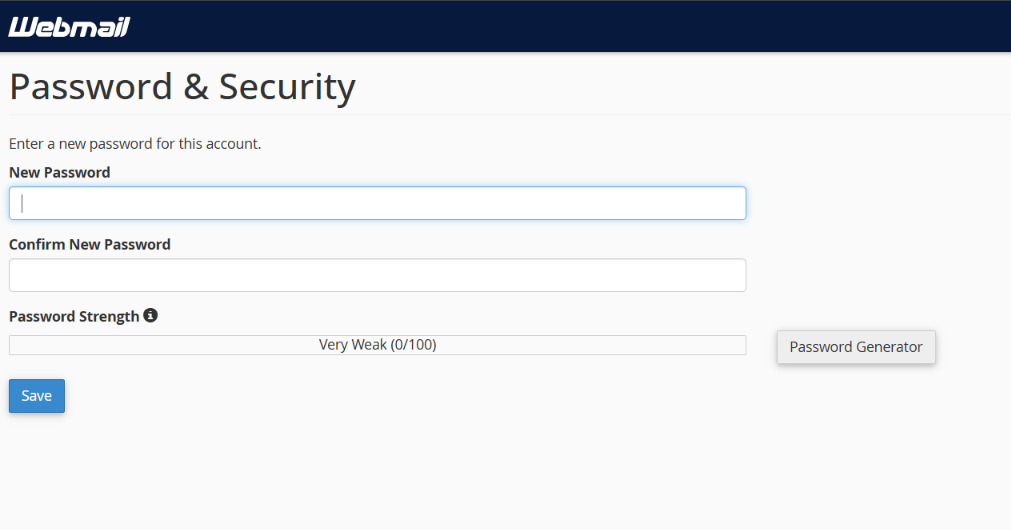 On the Password & Security page:
- Enter your new password in the New Password field.
- Enter the same password in Confirm New Password.
- Check the Password Strength indicator and meet any requirements displayed.
- Click Save to apply the change.
Choose a Strong Password
You can use the Password Generator button to create a password. Store it securely before saving the change.
Choose a long, unique password that you do not use for another account. Avoid predictable details such as your name, company name, phone number or birthday. A password manager can help you generate and store your password.
Step 5: Update Your Password on Your Devices
After the change is saved successfully, use your new password whenever you sign in to Webmail.
If you access the same mailbox through Microsoft Outlook, Apple Mail or another email app, update the saved password there too. If the app asks for separate incoming and outgoing mail passwords, update both.
You can log out of Webmail and sign in again to confirm that your new password works.
Need Help Managing Your Business Email?
Vintronix Global Systems Ltd provides business email setup, website development, hosting and technical support. If you need help changing your Webmail password or reconnecting your email apps, contact our team.